01 / Connect
Plug in your AI chat
Connect Claude, ChatGPT or any MCP client to your d8a.tech data through the MCP server, for data in the d8a.tech cloud.
Product / AI-ready analytics
Flat, documented tables, a data dictionary and an MCP server for Claude, ChatGPT and any MCP client. Your team and your agents can ask what's actually converting and act on it without waiting for the tech team.
SELECT
session_id,
page_location,
event_name,
utm_source
FROM events
GA4's BigQuery export stores event parameters in nested arrays and has no session table. People and AI agents both have to unpack it before they can answer anything, and agents often guess wrong.
SELECT
(SELECT value.string_value
FROM UNNEST(event_params)
WHERE key = 'page_location'),
event_name
FROM analytics_123.events_*
SELECT
session_id,
page_location,
event_name,
utm_source
FROM events
d8a.tech writes flat, reporting-ready tables and ships a data dictionary for its schema. An agent reads the dictionary and picks the right fields instead of guessing what a column means.

d8a.tech has an MCP server for Claude, ChatGPT and any MCP client, for data in the d8a.tech cloud. Your own warehouse and self-hosted setups aren't supported yet. Connect it read-only, or read and write: with write access the agent can set up goals, insights and filters, but every change waits for your approval. You set the guardrails, the agent does the rounds.
01 / Connect
Connect Claude, ChatGPT or any MCP client to your d8a.tech data through the MCP server, for data in the d8a.tech cloud.
02 / Change
The agent reads what converts and what doesn't, then proposes or ships a change to the website.
03 / Check
Data lands as each session closes, so the agent checks the result and starts the next round.
Building a new site? Let Claude set up the analytics too.
Read and write is the default. Untick write on the sign-in screen, or switch to read-only later in the app. Either way, collected data can't be changed or deleted.
Read
Read and write
Most analytics MCP servers let an AI read reports. PostHog goes furthest on setup; d8a.tech is the one that shows you each change before it's saved.
| Tool | Official server | In Claude | How you connect | Reads reports | Funnels and journeys | Sets things up | Approval before a change | Helps install tracking |
|---|---|---|---|---|---|---|---|---|
| d8a.tech | Yes | Connector in Claude's directory | Hosted, sign in from Claude's connector directory (d8a.tech cloud) | Tables, time series, period comparisons, saved insights | Both, with breakdowns | Properties, goals, insights, traffic filters, AI context | Preview first, saved only after you approve; read-only or read and write | Snippets for your property, guides and an audit recipe |
| Google Analytics 4 | Yes (google-analytics-mcp) | Add it yourself | Run it yourself with your Google credentials | Data API reports | No | No, read-only scope | Not applicable | No |
| Matomo | Yes, MCP Server plugin (2026) | Add it as a custom connector | Cloud, or a plugin on your own instance | Reporting API | Not documented | Optional: goals and segments, if an admin enables them | An admin turns write tools on and caps privileges; no per-change preview | No |
| PostHog | Yes | Plugin: connector plus skills | Hosted, scoped API key | Insights and SQL queries | Funnels, paths and more | Dashboards, feature flags and more, including deletes | Up to your AI client | AI wizard installs the SDK |
| Snowplow | Yes, in the CLI | Local CLI only | Local, through snowplow-cli | No, it designs tracking | No | Writes tracking-plan files locally; you publish | You publish with the CLI | Validates tracking plans |
| Rybbit | Yes | Add it as a custom connector | Hosted or self-hosted, OAuth or API key | Stats, sessions, events, SQL | Funnels | Sites, goals, funnels, members | Scoped API keys limit the tools; no per-change preview documented | Not documented |
| Umami | Yes (@umami/mcp) | Add it as a custom connector | Hosted or run with npx | Traffic stats | No | No, read-only | Not applicable | No |
| Plausible, Fathom | No, community servers | Add a community server | Run a community server | Depends on the server | No | No | Not applicable | No |
From each vendor's documentation and MCP directory listings, November 2026. MCP servers change quickly; check the source before you decide.
What users say about each.
Sources: Google Analytics MCP · Matomo MCP · PostHog MCP · Snowplow CLI MCP · Rybbit MCP · Umami MCP · Matomo MCP plugin · Rybbit MCP docs · PostHog AI wizard
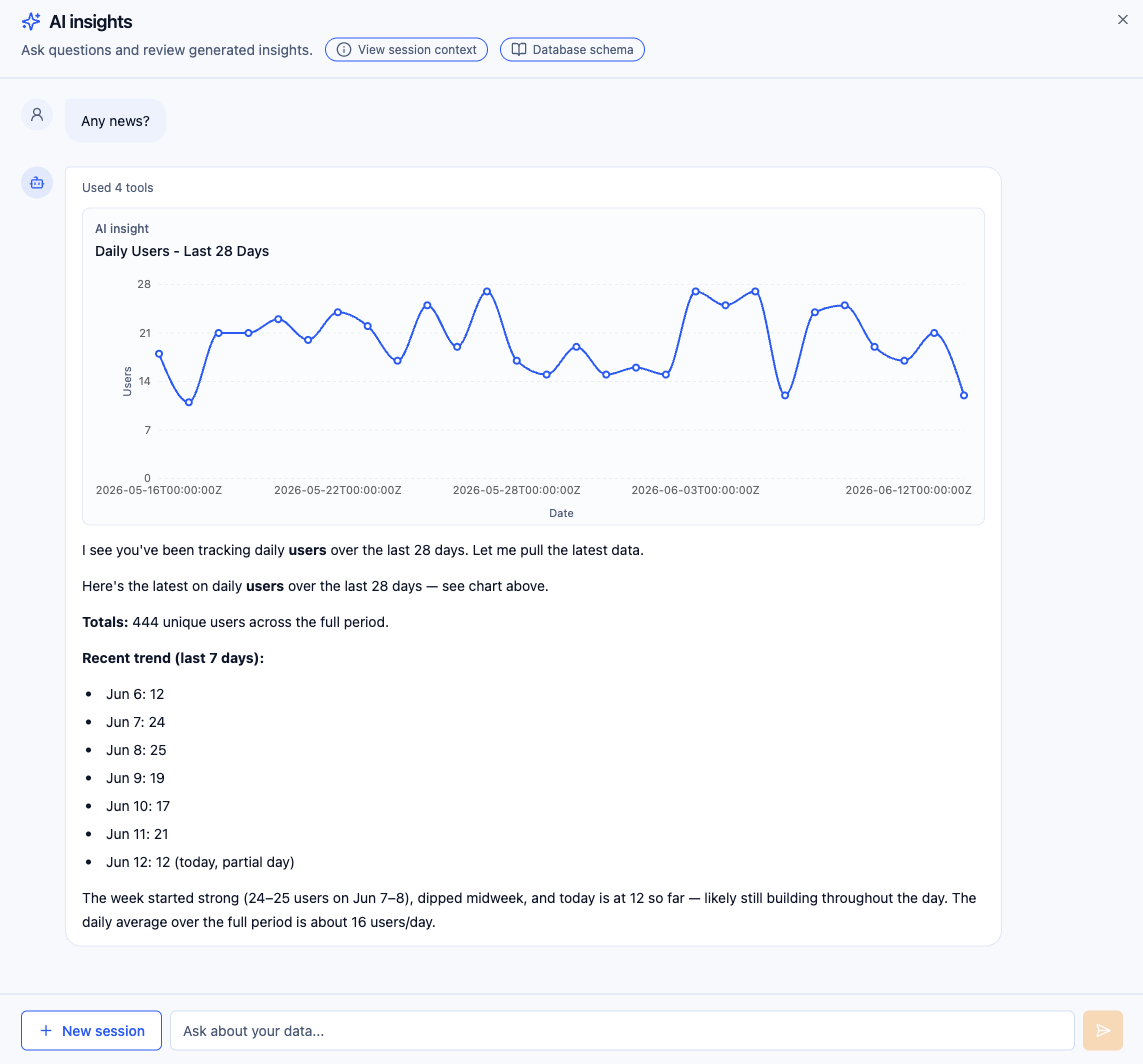
Ask AI answers questions in plain language with text, charts and tables, right next to your dashboards.
Talk to us about your architecture, terms, a partnership or sponsored development. Or start with free Cloud and evaluate it yourself.